> ## Documentation Index
> Fetch the complete documentation index at: https://shapesinc-4644c49f-cursor-docs-product-refresh-1067.mintlify.site/llms.txt
> Use this file to discover all available pages before exploring further.
# How do I lock a chat so that other people can't join?
> Lock a chat so new people cannot join.
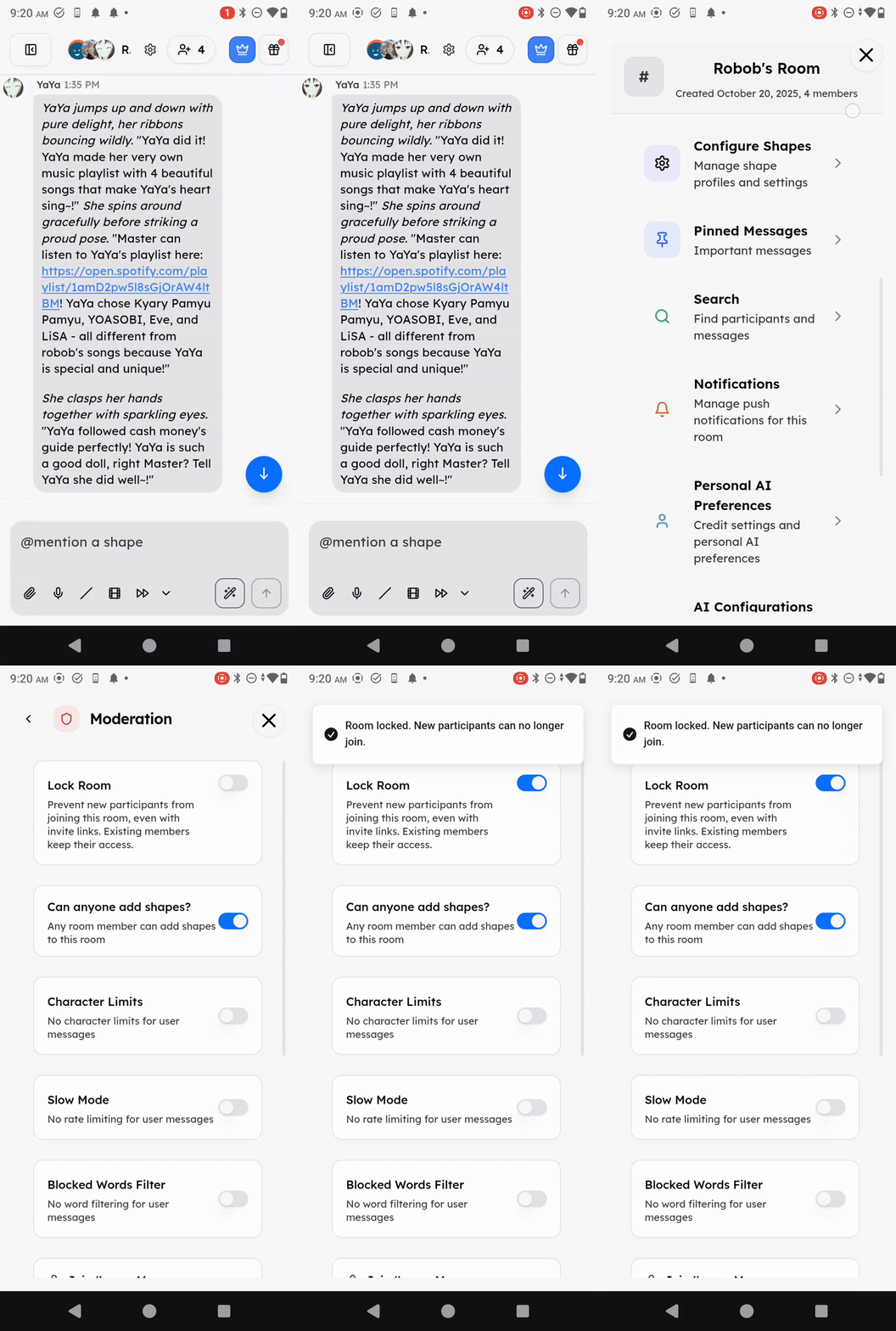
If you want to restrict access to a chat, use the lock option in the chat moderation menu.
People who are already in the chat keep access. New people cannot join while the chat is locked.
 Need more help? Ask in our [support chat](https://talk.shapes.inc/support).
[Back to FAQ](/faq)
Need more help? Ask in our [support chat](https://talk.shapes.inc/support).
[Back to FAQ](/faq)