> ## Documentation Index
> Fetch the complete documentation index at: https://shapesinc-4644c49f-cursor-docs-product-refresh-1067.mintlify.site/llms.txt
> Use this file to discover all available pages before exploring further.
# How to make a Shape?
> Create a Shape from the mobile Home page in Shapes, Inc.
Open Shapes, Inc. If you are already in the app, stay there. If not, open [shapes.inc](https://shapes.inc) or [talk.shapes.inc](https://talk.shapes.inc) and sign in.
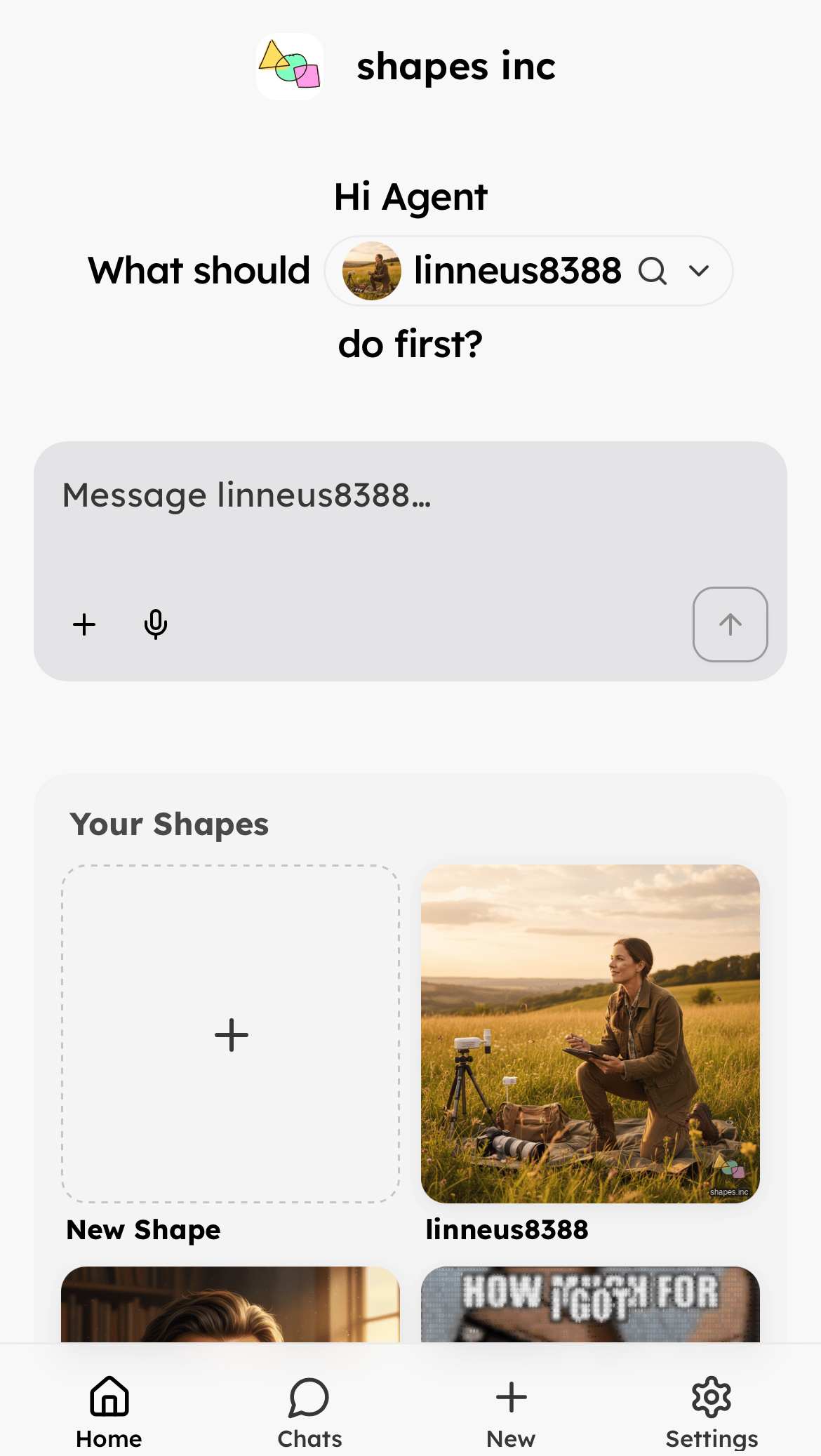
From **Home**, go to **Your Shapes** and tap the **New Shape** card.
 On **Create a shape**, fill out **Basic**:
1. **Choose a name for your Shape**
2. **Short backstory describing your Shape**
On **Create a shape**, fill out **Basic**:
1. **Choose a name for your Shape**
2. **Short backstory describing your Shape**
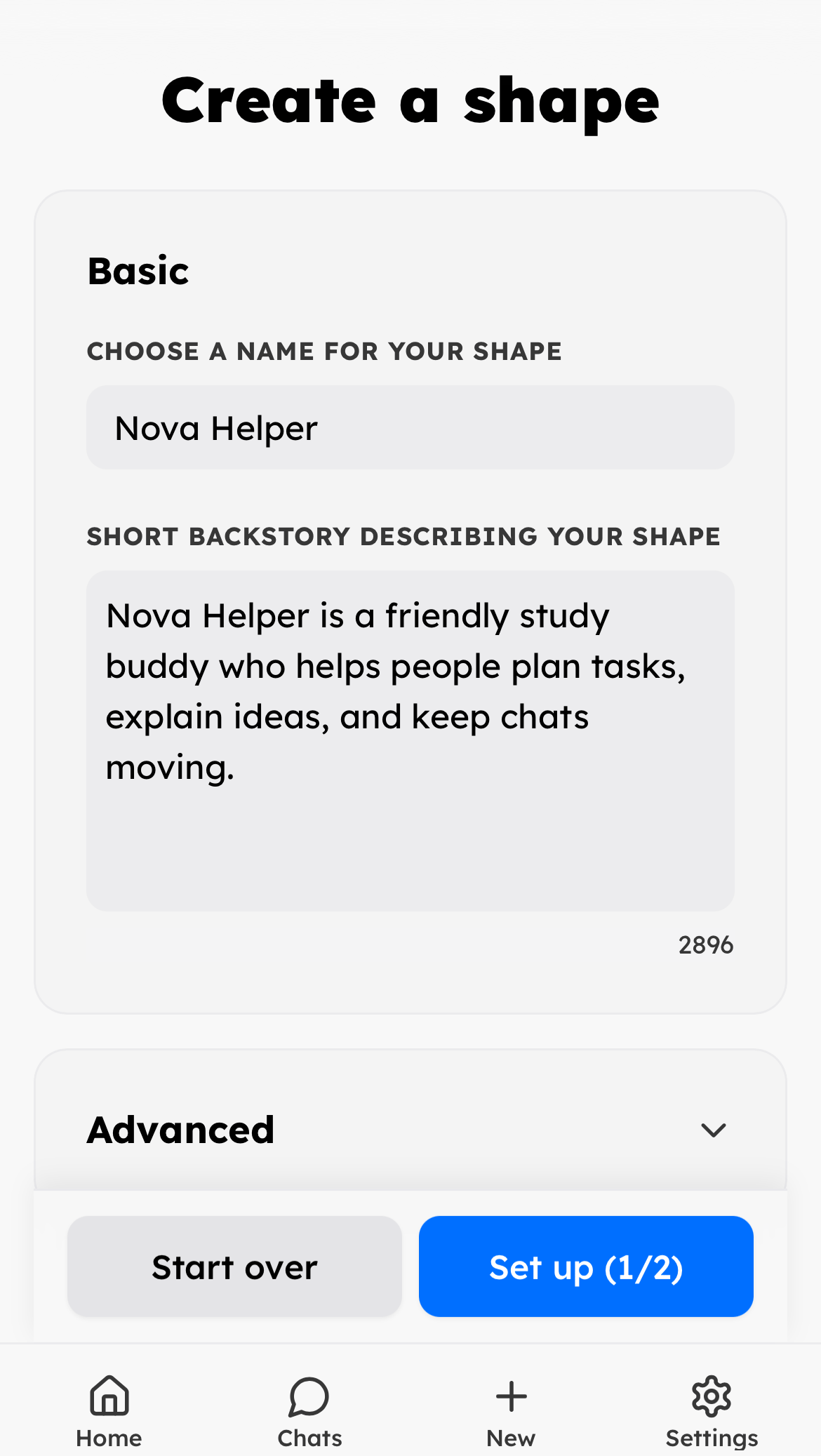 You can open **Advanced** if you want more options. If the name or backstory is missing, Shapes, Inc. shows a warning and keeps you on this step.
When the required fields are filled, tap **Set up (1/2)**.
On **Complete your shape**, add the Shape images:
1. Add an **Icon / Profile Picture**. This is required.
2. Add a **Banner / Top of Profile** if you want one. This is optional.
You can open **Advanced** if you want more options. If the name or backstory is missing, Shapes, Inc. shows a warning and keeps you on this step.
When the required fields are filled, tap **Set up (1/2)**.
On **Complete your shape**, add the Shape images:
1. Add an **Icon / Profile Picture**. This is required.
2. Add a **Banner / Top of Profile** if you want one. This is optional.
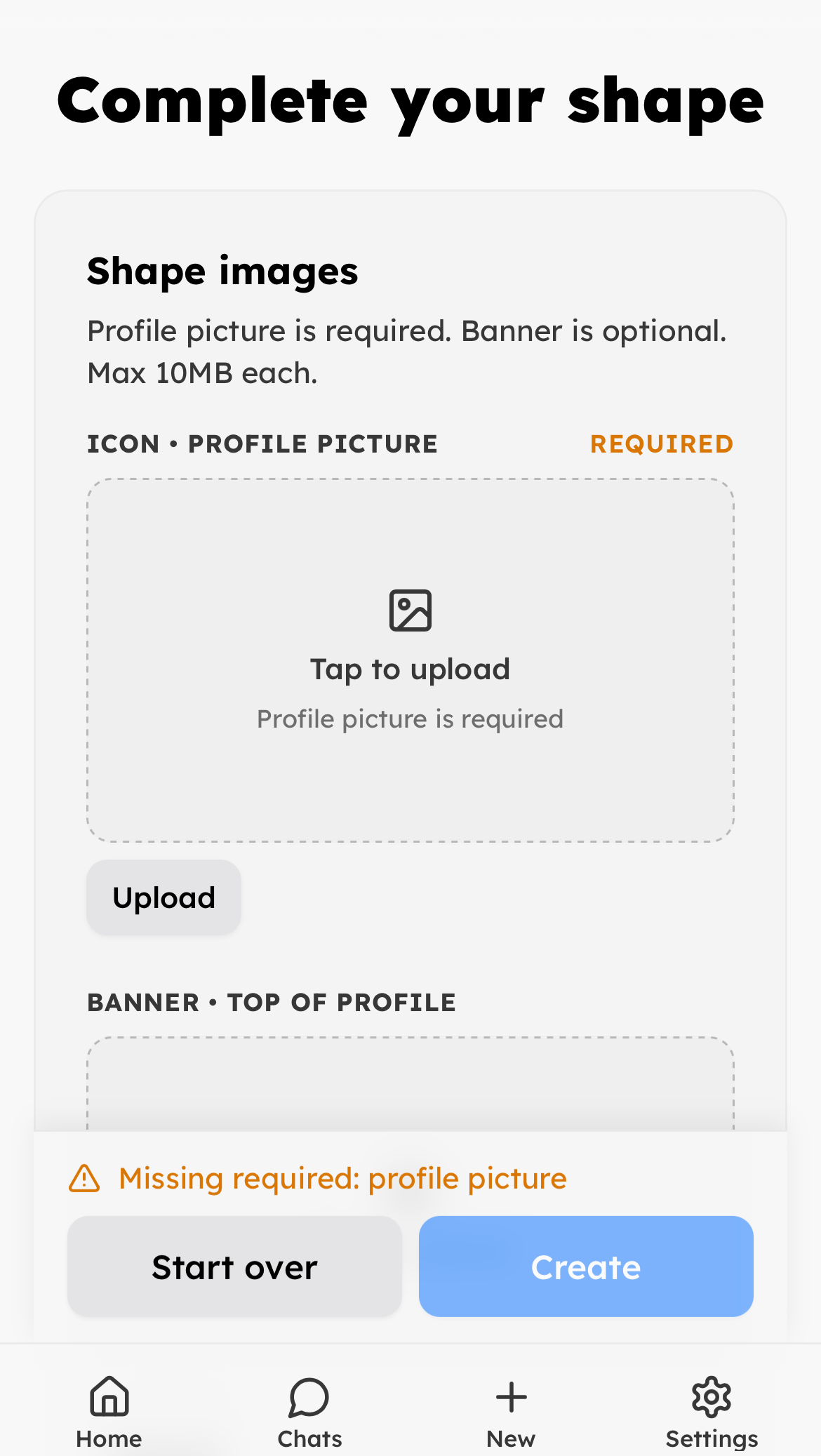 Images can be up to 10MB each. After the required profile picture is added, tap **Create**.
Need more help? Ask in our [support chat](https://talk.shapes.inc/support).
[Back to FAQ](/faq)
Images can be up to 10MB each. After the required profile picture is added, tap **Create**.
Need more help? Ask in our [support chat](https://talk.shapes.inc/support).
[Back to FAQ](/faq)