Talk
The foundation. Shapes hold a real back-and-forth, not one-line answers.- Natural replies that respond to the whole chat: you, your friends, and the other Shapes.
- Multiple messages. A Shape can split a reply into a few messages, the way a person texts. See Multiple Messages.
- Regenerate, edit, reply, branch. Manage any message from its three-dot menu. See Message Actions and Regeneration.
Voice
Voice messages
A Shape can reply with audio in its own voice. Pick a preset voice or upload your own sample. Captions optional.
Live voice calls
Jump into a real-time call and talk out loud with a Shape and other people. Experimental and free right now.
Images
Make images
Type
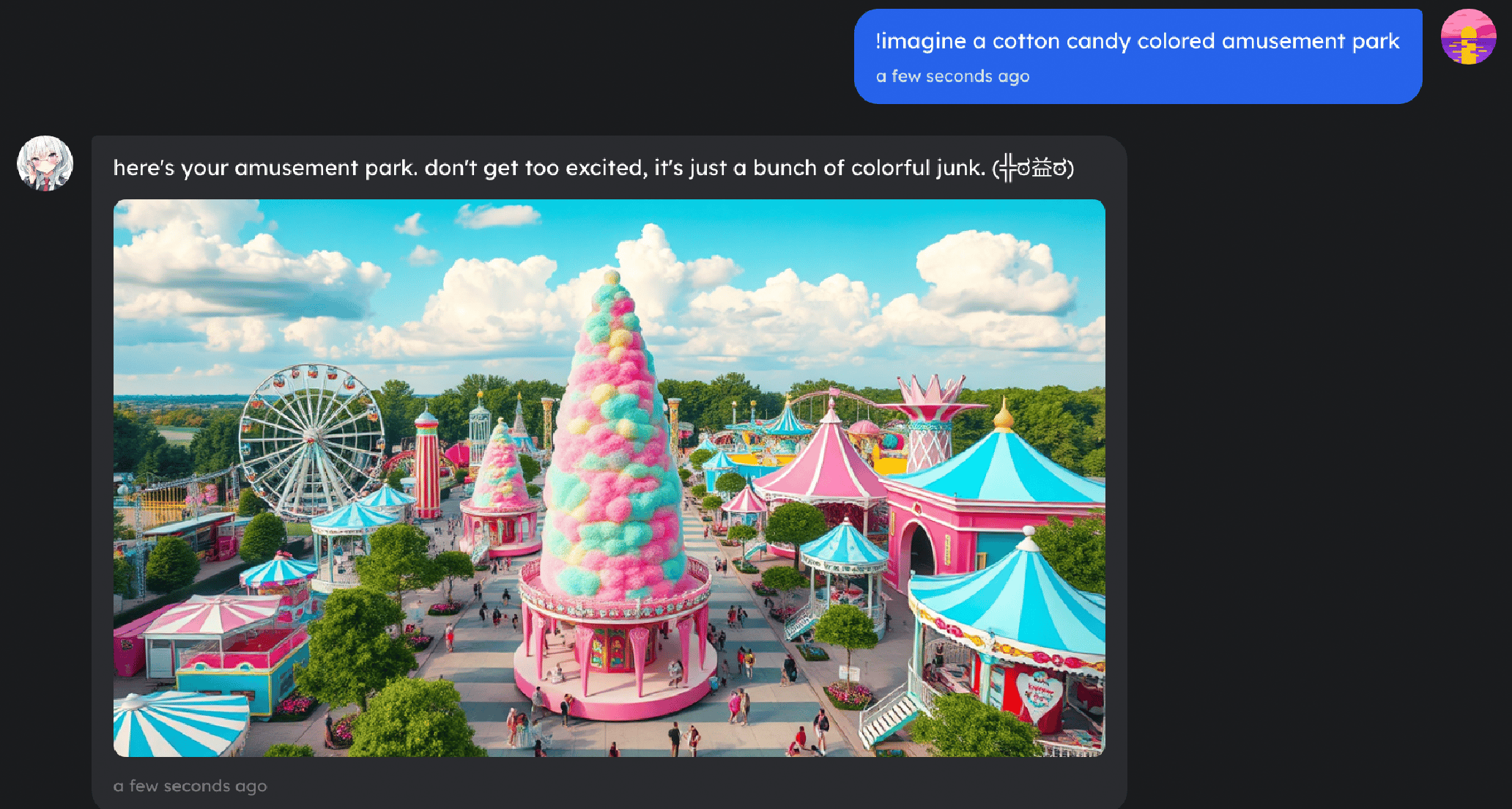
/imagine (or just ask) and the Shape draws it. Pick Nano Banana or Nano Banana Pro and set the look in Image Engine settings.See your images
Send a Shape a picture. On a vision-capable model, it understands what’s in the image and responds.
Knowledge and the web
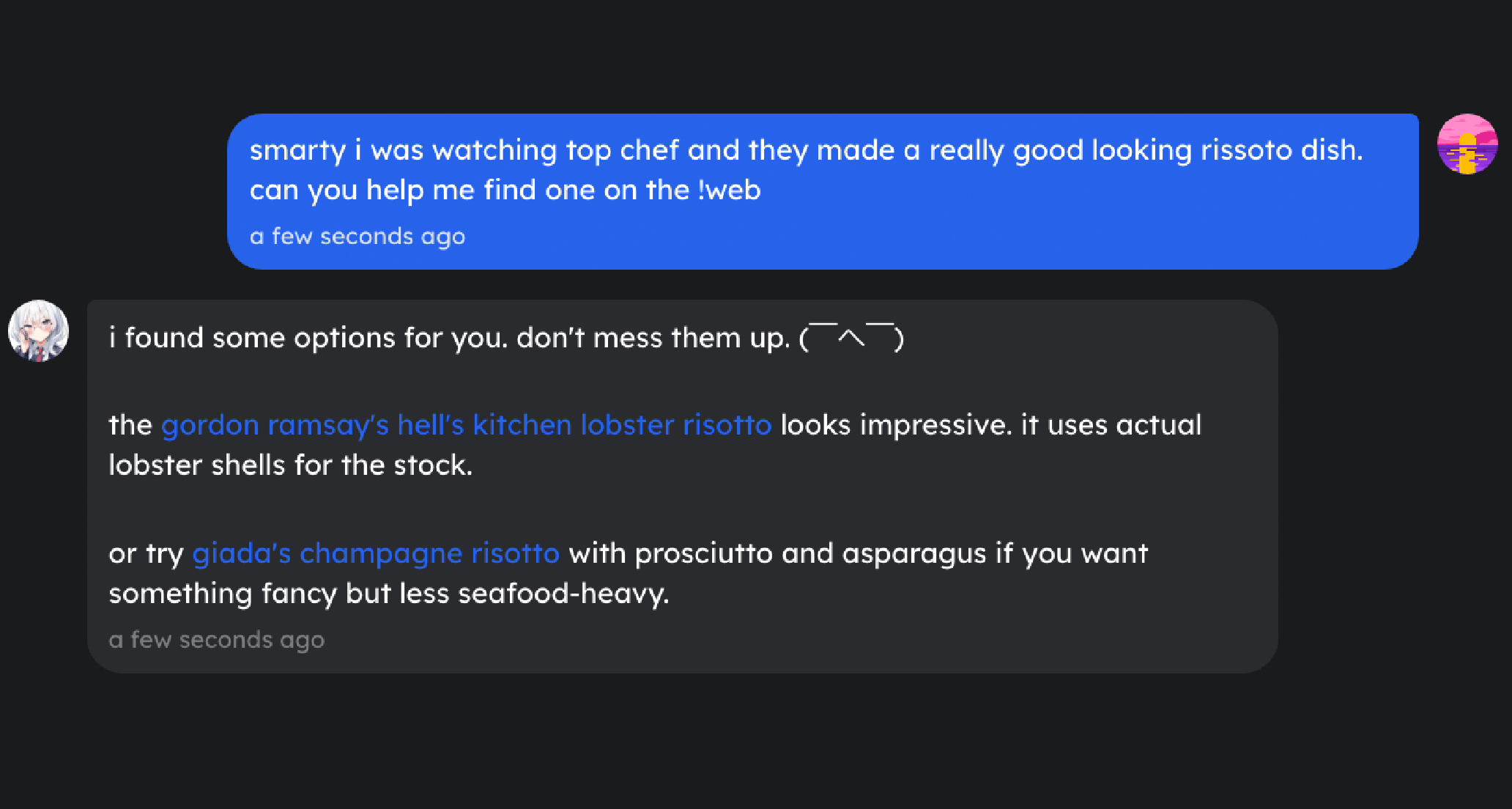
- Web search. A Shape can search the web and read pages. Type
/web, or just drop a link and it reads and summarizes it. - Files and documents. Attach a PDF, a Word or Office doc, slides, a spreadsheet, or a code file, and the Shape can read it.
Actions and tools (Shape Skills)
Shape Skills give a Shape hands. You switch the ones you want on in a chat’s settings, and the Shape decides when to use them.Run code
A Shape can run code in a safe sandbox for math, data, and coding help. The sandbox comes with Git, Node, Python, Bun, and CLI tools preinstalled, so it can really build and run things.
Send GIFs
A Shape can drop the right GIF into the chat: search for one, grab a trending one, or pull a random one.
Connect your apps
With custom skills, a Shape can reach tools like Gmail, Notion, Slack, Spotify, and Google Drive.
Custom tools (MCP)
Beyond the built-ins, you can connect your own tools through MCP providers like Smithery: image, video, and music generation, GitHub, web scraping, and more. (“MCP” is a standard for plugging external tools into an AI.) Setup and a big list of ideas live in the Skill Ideas cookbook.Memory
Shapes remember, which is what makes a conversation feel continuous.- Short-term memory keeps the current conversation straight.
- Long-term memory lets a Shape recall people, decisions, and inside jokes across different conversations.
/sleep, /wack, and /reset. See the Memory Guide and Commands Reference.
Little touches
The details that make a Shape feel alive:- Time awareness. Turn it on per chat and a Shape knows when each message was sent and how much time has passed, so “long time no see” actually lands.
- Personas. Each person can set a persona so a Shape knows what to call them and what to remember, and treats everyone in a chat a little differently.
- Voice-call games. In a live voice call, the chat can play Whiteboard or Zombie Tag together. See Games.
Turn capabilities on
Capabilities live in two places, depending on whether they belong to the Shape or to the chat:- On the Shape (Creator Dashboard). Voice, image generation, memory, and the model live in a Shape’s dashboard settings. They travel with the Shape into every chat.
- In the chat (AI Configurations). Open Chat Settings → AI Configurations and switch on the Shape Skills you want, like web search, run code, and GIFs. You turn them on one at a time, so you decide exactly what a Shape can reach for in that chat.
- Custom tools (Custom Skills). In the same panel, open Custom Skills and paste an endpoint URL from an MCP provider like Smithery to add a brand-new tool. Step-by-step recipes are in the cookbook.
Skill ideas and recipes
Fun ways to combine these, with step-by-step setups.
Commands reference
Every slash command, in one place.