
- Questions & Answers
- Complete Walkthrough
How to Find Something Specific
How do I find a shape?
How do I find a shape?
You can find a shape in a few ways:
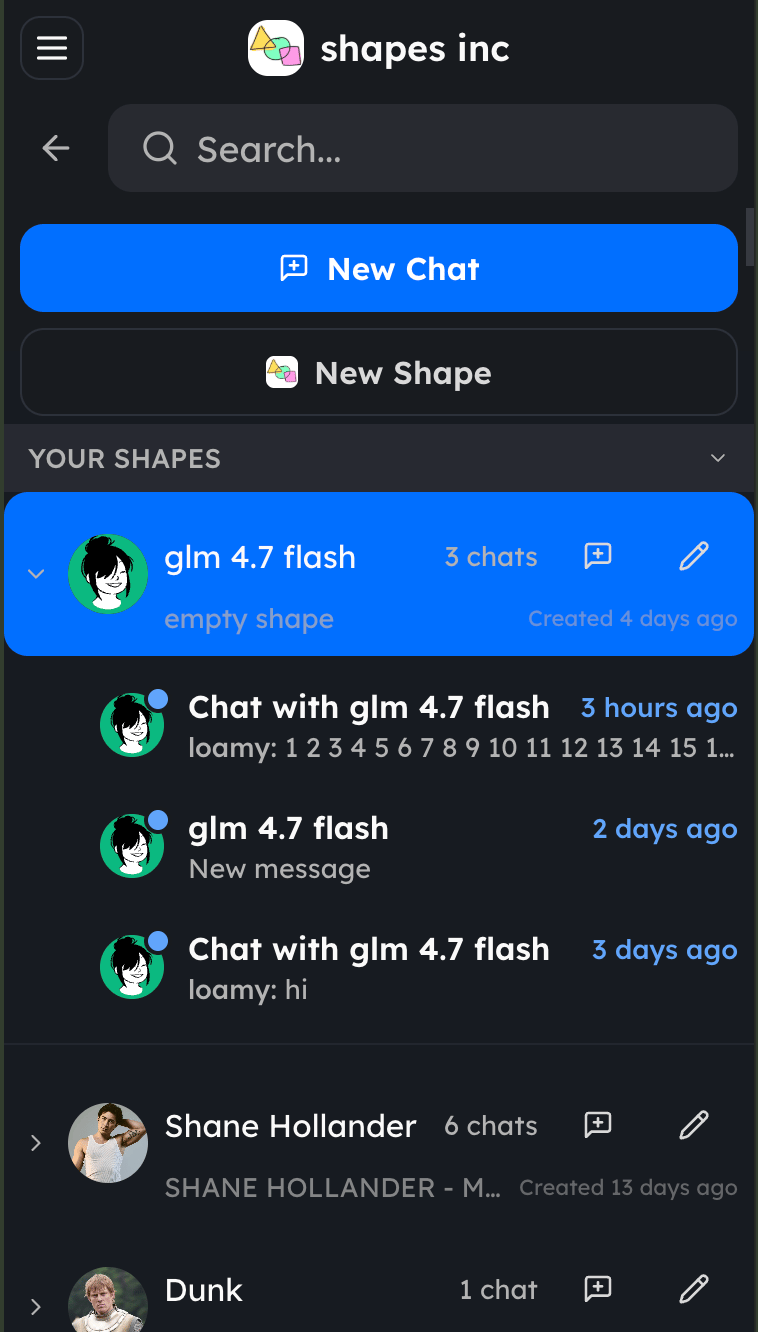
- Click New Chat, stay on Shapes, and search by name or username.
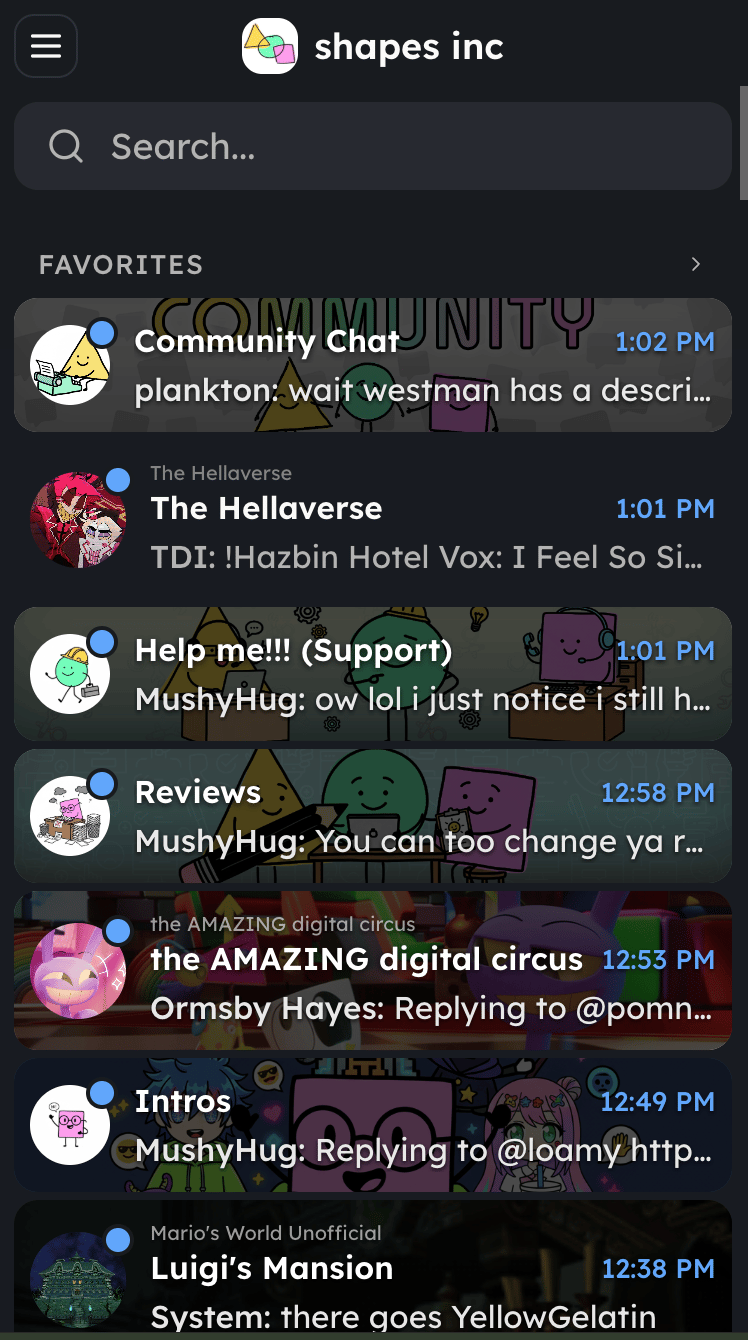
- Click Search… in the sidebar to search across chats, messages, Shapes, and people.
- If you are already in a chat, click More actions → Members / Invite → Add participants, then stay on Shapes.
How do I start a new chat?
How do I start a new chat?
You can start a new chat in the following ways:
- Click New Chat in the sidebar.
- Choose the smart helper Shape option to start right away with a useful Shape.
- Pick a Shape from Shapes.
- Switch to People if you want to start with a person.
- To make it a group chat, open More actions → Members / Invite after the chat opens.
How do I create a new shape?
How do I create a new shape?
You can create a new shape in the following ways:
- Click New Shape at the bottom of the sidebar.
- In a chat, click More actions → Members / Invite → Create shape.
How do I edit my shapes?
How do I edit my shapes?
You can edit a Shape from its profile.Try one of these paths:
- Use Search… to find the Shape.
- Open a chat with the Shape, then go to More actions → Members / Invite and open the Shape from the participant list.
- Click a Shape’s avatar or name in a message if it appears in the chat.
How do I find my rewards?
How do I find my rewards?
You can get to your rewards in the following ways:
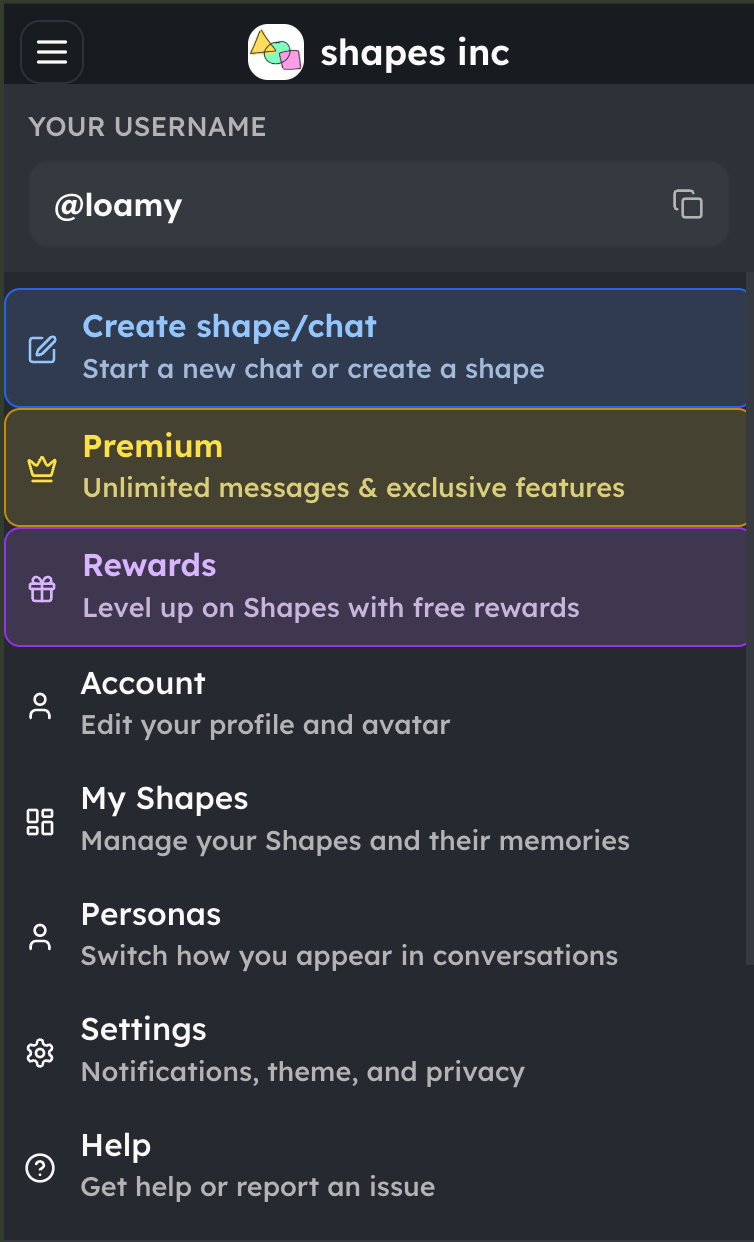
- Open the sidebar, click the menu button, and select Rewards.
- In a chat, click More actions and select Rewards.
How do I see all my chats?
How do I see all my chats?
Use the chat list in the sidebar. You can filter it with All, Unread, User DMs, Private, and Social. You can also use Search… to find a chat.
How do I organize my chats?
How do I organize my chats?
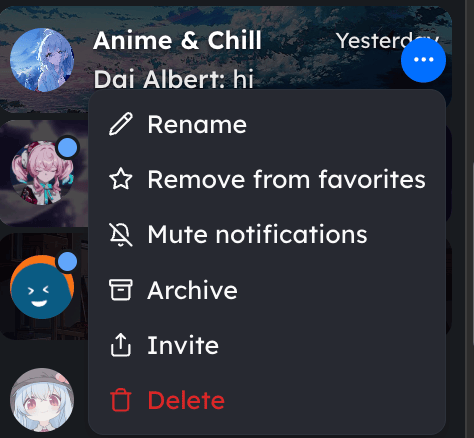
Long-press a chat on mobile, or click More next to the chat on desktop. The options can include rename, mute, mark as read, invite, archive, or delete.
How do I change settings or my profile?
How do I change settings or my profile?
Open the sidebar, click the menu button, then select Account or Settings.
How do I get help or contact support?
How do I get help or contact support?
Open the sidebar, click the menu button, and select Help. This opens support.
I can’t find something — what should I do?
I can’t find something — what should I do?
Use Search… to find chats, messages, Shapes, and users. If you still need help, open the menu and select Help.